Installation Guide
After you place your order, our agent will walk you through the steps of installing your IPTV subscription on your device!
Get Your IPTV SubscriptionHow To Install Smarters Pro on Firestick 2025 (Step by Step):
1st Step: Watch this video it will show you how to allow downloading apps from Unknown Sources On Downloader app.
2nd Step: Download IPTV Smarters Pro. Go to Firestick’s Downloader and Put this Code: 4839527
You Can Also Download Our BEST IPTV UK APP Code: 7709919
How To Download Our APP BEST IPTV UK?
How To Install Smarters Pro on Phone Android:
Video Youtube: Watch Tutorial Here
How to setup IPTV on Android with IPTV Smarters Player:
Step 1: Start by downloading IPTV Smarters app through this URL: smarters.apk
Step 2: Open the app once downloaded and Enter the login details.

Step 3: Enter the login details that we have provided you after you get a subscription with us. Now Click on “ADD USER” to proceed to the next section.
Step 4: Wait some seconds.
Step 5: Now click on “Live TV” icon.
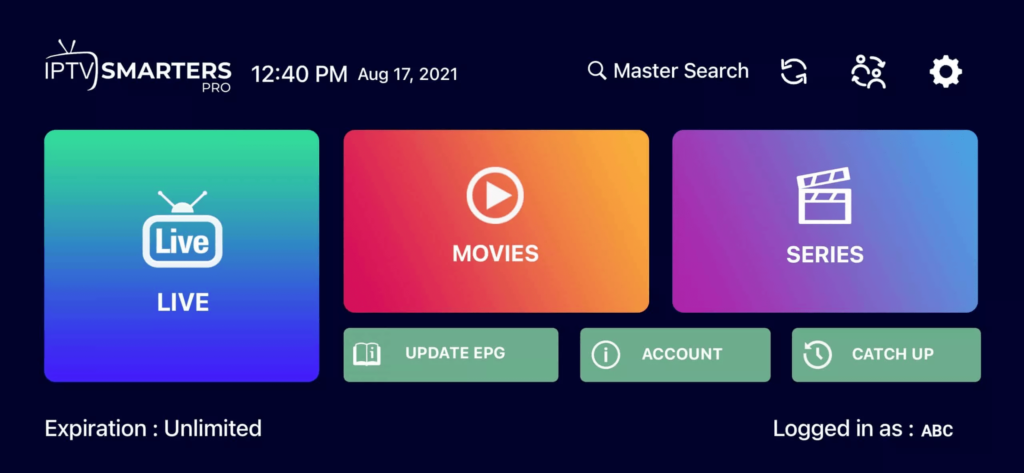
Step 6: Now you must select the channel group that you want to watch.
Step 7: Click on the channel name and then double click on the small screen to turn into full screen. Done!
How To Install Smarters Pro on Smart TV Android:
Video Youtube: Watch Tutorial Here
Step 1: Start by downloading IPTV Smarters app through this URL: smarters.apk
Step 2: Open the app once downloaded and Enter the login details.
Step 3: Enter the login details that we have provided you after you get a subscription with us. Now Click on “ADD USER” to proceed to the next section.
Step 4: Wait some seconds.
Step 5: Now click on “Live TV” icon.
Step 6: Now you must select the channel group that you want to watch.
Step 7: Click on the channel name and then double click on the small screen to turn into full screen. Done!
How To Setup IPTV On Apple/IOS With IPTV Smarters Player
Step 1: Start by downloading IPTV Smarters app from the Apple Store or search for it on App store. Install the app on your IOS device.
Step 2: Open the app once downloaded and Enter the login details.
Step 3: Enter the login details that we have provided you after you get a subscription with us. Now Click on “ADD USER”.
Step 4: Wait some seconds.
Step 5: Now click on “Live TV” icon.
Step 6: Now you must select the channel group that you want to watch.
Step 7: Click on the channel name and then double click on the small screen to turn into full screen.
Step 8: To add EPG no need to add any EPG url, Just click on “Install EPG”. Done!
How To Setup IPTV On Windows or Mac?
Windows
– IPTV Smarters Pro
Download IPTV Smarters app for Windows
MAC
Download IPTV Smarters app for Mac
Step 1: You can download SetIPTV / HOT IPTV / ibo Player from your TV store on Samsung, LG …
Step 2: After the installation, open the app then you will find the MAC Address on screen.
Example:

Step 3: Send us the MAC address via Whatsapp / Email / Live Chat.
Step 4: After a few minutes, restart/reboot your TV and Open the app. Done!
Step 1: Send us the MAC Address of your MAG box via Whatsapp / Email / Live Chat.
Step 2: After making the payment, we will send you the portal link to configure your device.